Orchestration with its own repair crew.
One Windows workspace for Claude Code, Codex, Gemini, local models, and terminal tools. Run them side by side, coordinate their work, and troubleshoot stalled runs without losing context.
- Claude Code · Codex · Gemini
- Ollama · LM Studio, loopback only
- 32 panes · 5 workers a run
- You approve every plan
The grid, the run, the gate.
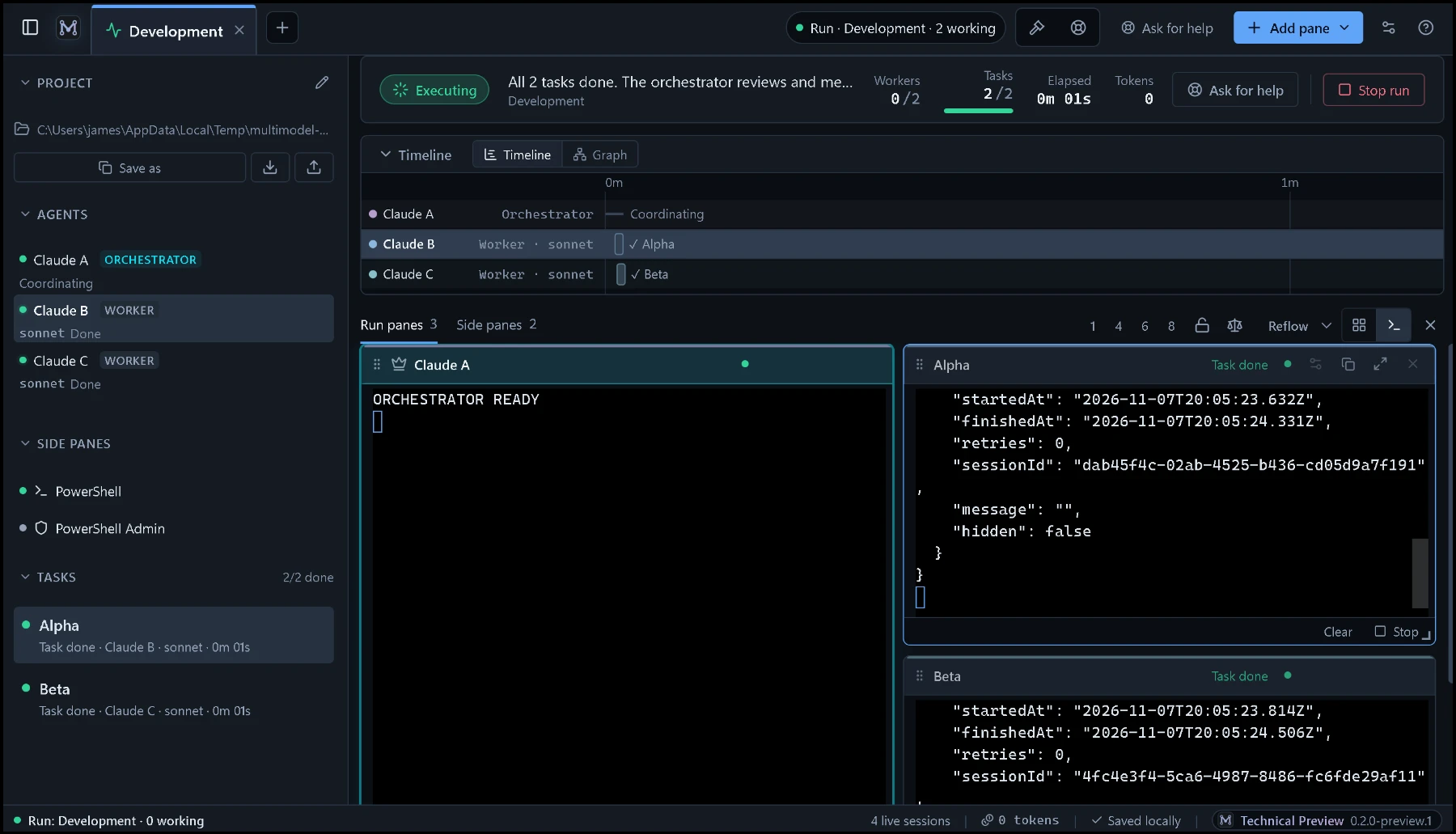
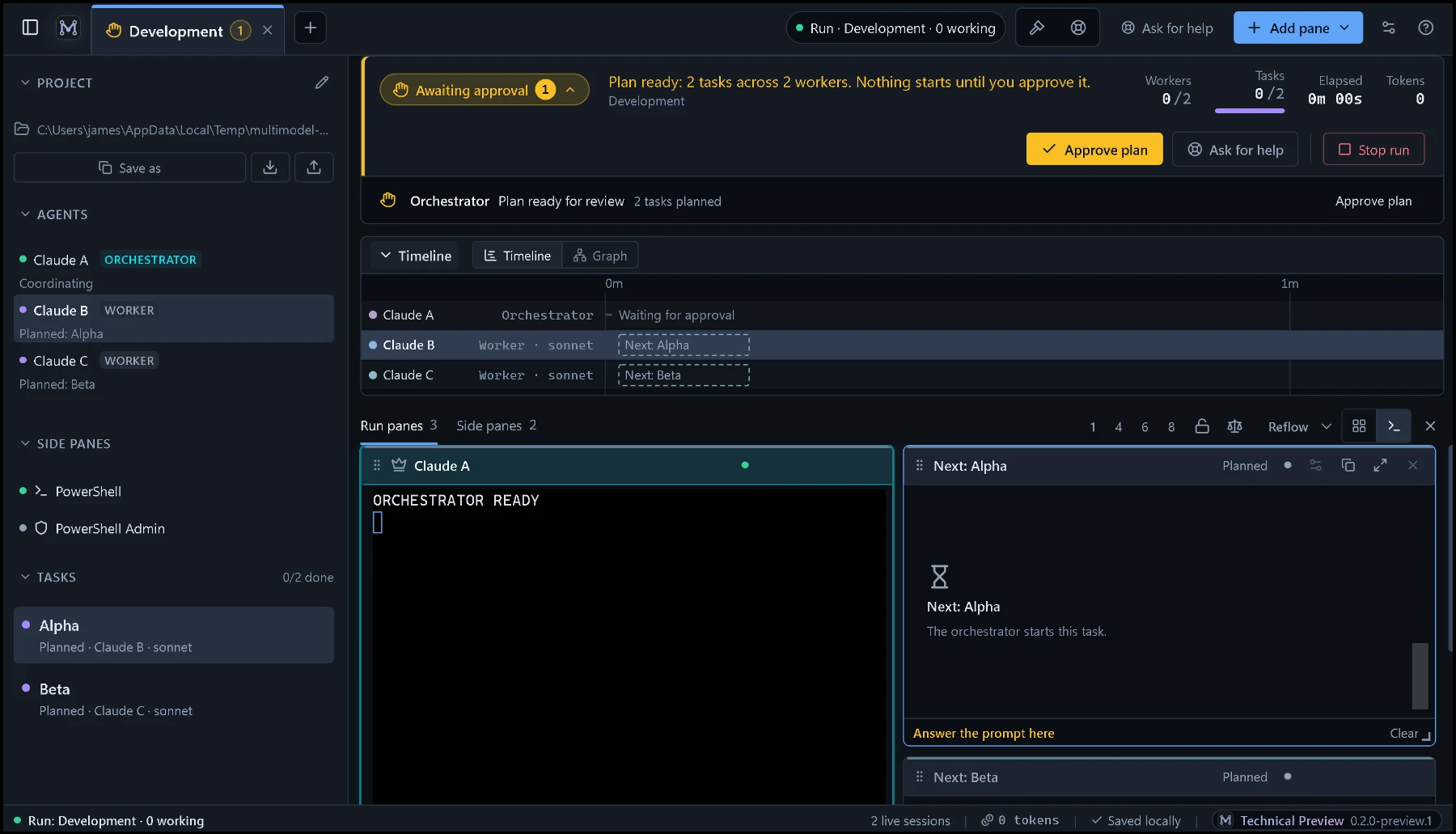
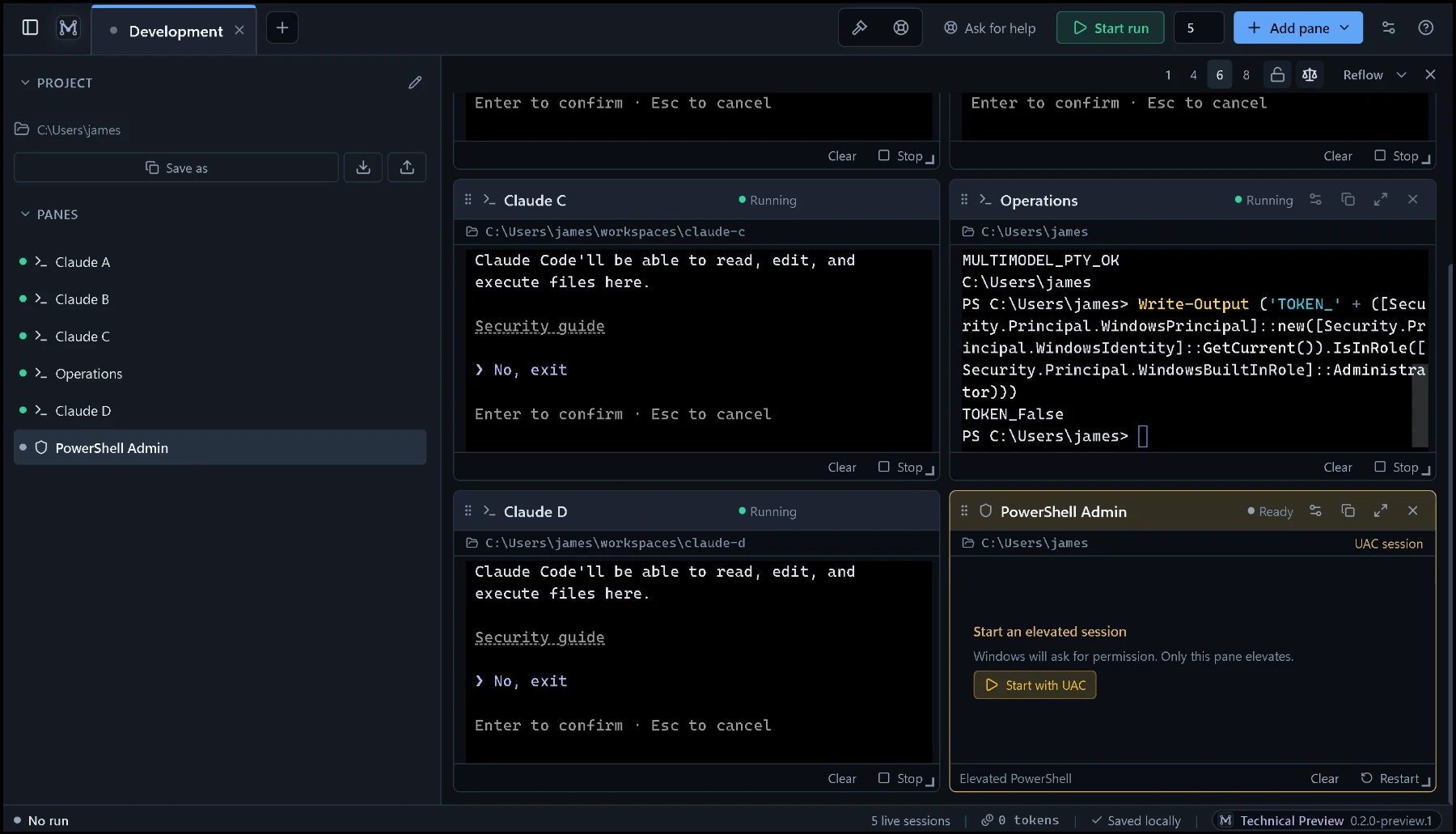
Three captures from the 0.2.0 preview build, exactly as it runs. Nothing here is mocked up.
Something breaks. Sentinel comes out.
The app notices. The task turns failed in the run header and the task list, and Ask for help sits right there. Run errors raise a notice with the same button on it.
You stay in charge. Sentinel diagnoses and recommends; the orchestrator can retry a task up to twice; you press Resume run. It cannot change your project's files.
Two agents outside the room.
- 01
Run the work
The orchestrator writes a plan: up to five tasks, each with its own worker pane, its own files, a model and a time budget. You approve it before anything starts.
- 02
Monitor and detect
The run header counts workers, tasks, elapsed time and tokens, with a timeline per agent. A failed task shows there at once, a run error raises a notice, and Ask for help is on both.
- 03
Repair and retry
Sentinel takes the run's state and the last errors, finds the cause and tells you the fix. The orchestrator can retry a task with feedback, up to twice.
- 04
Keep momentum
Press Resume run. Dispatch continues on the same run, and when it finishes the orchestrator's report is written to a run note you keep.
SentinelAsk for help, and it comes out.
Sentinel starts fresh, on purpose. It is handed the project, the run's state, every task and the last few app errors, works out where the orchestration broke, and explains how to recover while you watch. It is fenced out of your project's files, so it never edits your code.
SovereignA second pair of eyes that can't touch a thing.
Run a fresh UAT pass, a performance check or an accuracy review, or vet a plugin before you add it. Sovereign reads and runs commands, but it is denied every edit, so your project stays exactly as you left it.
The gridOr skip orchestration entirely.
Use MultiModel as a cockpit: many Claude windows, each on its own project, in one resizable grid. PowerShell, WSL, Git Bash and Codex sit beside them. Save the layout and pick up tomorrow.
LocalNothing leaves your machine.
Terminals are real local processes. Local model panes talk only to Ollama or LM Studio on loopback, and every setting lives in one JSON file in your profile.
Pay for the orchestration. Keep what you paid for.
- Unlimited panes and saved layouts
- Claude Code, Codex, Gemini, PowerShell, WSL
- Local models through Ollama or LM Studio
- Everything in Grid
- Orchestrate runs across agents
- Sentinel run diagnosis, Sovereign review
- Every patch and upgrade
- Email support from the developer
Everything in Pro for the first 200 customers during the preview. Lock it in before 1.0 and it stays $15 for as long as you stay subscribed. Billed monthly; cancel and come back later, and you pay the current price.
Claim the founding price- 5 seats or more
- Volume pricing, one invoice
- Onboarding call
- Priority on patches
Get MultiModel for Windows.
It installs from the Microsoft Store and stays up to date on its own. Nothing to sign in to: MultiModel starts the Claude Code, Codex or Gemini CLI you already have.
Windows
Windows 10 version 1903 (build 18362) or later, or Windows 11. 64-bit only; the terminals use Windows ConPTY. About 170 MB to download, around 400 MB on disk. MultiModel refuses to start as Administrator and runs as a normal user.
Agents you bring
Claude Code, Codex and Gemini are optional CLIs on your PATH, installed and signed in by you. WSL and Git for Windows are optional too. A pane whose CLI is missing says so instead of failing quietly.
Local models
Ollama (port 11434) or LM Studio (port 1234), reached only on loopback with redirects disabled. No model ships with the app and no cloud model is called by it.
Where things live
One file,
%APPDATA%\multimodel\state.json, holds your workspaces, layouts and profiles. It never contains terminal output, transcripts or secrets. API keys you choose to store are encrypted with Windows data protection. It survives uninstall.Privacy and security
No account and no telemetry. The window cannot touch the filesystem, spawn processes or reach the network directly; every capability is a validated call into the main process. Read the privacy notes and the licence agreement.
Updates and contact
Updates arrive through the Microsoft Store once the listing is live. Questions, bugs or a Teams quote: info@jabsystems.io, answered by the developer.